Posts

Doing...

Image
 Last Blog Post - Reading Week 12 I have finally reached the end of the reading assignment and it's time for some reflection. All in all, I actually found this reading assignment very interesting and fun at times. I learned so much about game design, game genres, good and bad effects of game genres (I found this topic the most interesting) and so much more. I won't exaggerate by saying it was always fun, it did get really hard at times, such as when I couldn't find a certain topic I was looking for, or even when I found this topic, reading articles upon articles can get extremely boring, but I always worked during the night which is when I could focus the most.  What helped me the most throughout the process of the making of this book was whenever I lost interest, which is more often than one can think, I took a break and reminded myself I don't have to have the most interest in something to actually do well in it, with the whole game design topic, I was never intereste...

Reading 09!

Image
 Reading 09! This week's reading task was to give our peers feedback and use the feedback we get to refine our work. I really like tasks like this because I feel like they help with my writing a lot and allows me to view my own writing from a non biased perspective. Although this week wasn't the best in terms of my writing, I'm not sure why, I got some feedback where I was asked to explain a statistic or explain why a certain quote was there, for some reason today I couldn't do that so instead of trying to find an explanation i just got rid of it. Other than that I really enjoyed the feedback. Unmotivated I also made a memory game for the 'check your understanding' section where the player will have to match the cards and it was about game genres, so that was fun! Thats it for this blog post, thank you!

Doing

Image
Reading Assignment  This week's writing assignment was was pretty easy and straightforward (or so I thought), I had to write an introduction and conclusion to my annotated bibliography, I loved writing conclusions in the past but for the annotated bibliography, it was different, in the past I was alway writing conclusions with passion for things I was interested in, whereas now I'm writing it for game design, which isn't the same, I feel like my language is very stiff in a way. Anyway, I used this website   to help me write my conclusion and  this website to help me write my introduction. There was also a video on the multimedia website that furthered my knowledge on what needs to go into an introduction and conclusion. I added as much information I could to both the introduction and conclusion, I felt like I was being repetitive and was rambling on so I asked my friend to read it and give me their opinion which helped me further define both my intro and concl...

Unity Tutorial 07!

Image
 Unity Tutorial 07! I've finally finished the last Unity tutorial, this day has come quicker than I thought it would and before I summarise my experience with the last tutorial, I'm going to list what helped me get through these tutorials: -Patience (despite Unity crashing, I learned from last semester to be patient and not just give up -Keeping an open mind (last semester I struggled so much with Unity, leading me to dislike it so much, this semester, I let go of my bad experience and decided to try again with a new approach) -YouTube videos help... a lot, since Ruby's adventure didn't have video tutorials like last semester's tutorials, I kept going back and forth between Unity and my browser to read what I had to do (I'm 100% sure that I spent more time reading the tasks rather than actually doing them) so I watched bonserdev  on YouTube to help speed up the process -It's okay to ask for help Now onto the tutorials, the first tutorial which was "Audi...

Unity Tutorial 06!

Image
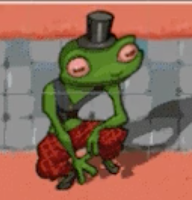
Unity Tutorial 06! This week's Unity tutorial was less straightforward and more confusing than the last few weeks, I made lots of mistakes but thankfully,  after using youtube (like I do every week) I was able to fix them. In the first tutorial Visual Styling - User Interface - Head-Up Display, I learned how to add user interface in Unity. I also used the rect tool in the editor to scale and locate so that it will work better. I then worked with 'singletons' to create a UIHealthBar. I used this video  as a reference whenever I got stuck. In the second tutorial World Interactions - Dialog Raycast, I set up raycasts between some points which allows the characters to detect colliders. I then had to create a dialog between Ruby and Jambi (who is a lizard or frog, I cant tell). This game is starting to look like a facebook game from years ago. Frog or Lizard? Thank you for reading my blog!:)

Reading 07!

Image
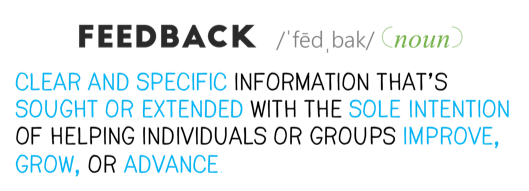
Reading 07!  This week's writing task was different from any I've done this semester so far, we were put into groups of 3 where we shared critical feedback amongst one another. I believe that receiving critical feedback is one of the most important components when it comes to writing (in general). After receiving my feedback from Khang and Megan, I have made many changes to my paragraphs, I used Khang's recommendation to use a five sentence structure to each paragraph which included:  -An introduction -A sentence of meat  -A conclusion And also used Megan's suggestion on using headings for each paragraph as it can be confusing and also adding more quotes. After using the feedback I received, I was able to better my paragraphs and clearly see a difference between how confusing/ unorganised they were to how they are now. Hence why I believe critical feedback is necessary and I am glad we will be doing this over the next few weeks. Feedback Here is a link to my updated the...

Unity Tutorial 05!

Image
Unity Tutorial 05! This week's Unity tutorial was a little harder than the last few I've done. In the first tutorial "Camera - Cinemachine" I had to download a Unity package called 'cinemachine' which automatically controls the camera without having to add code, I honestly struggled a little with setting this up at first so I watched a few YouTube videos to help me get the hang of it. I found these videos helpful:  -https://www.youtube.com/watch?v=mWqX8GxeCBk -https://www.youtube.com/watch?v=2jTY11Am0Ig In the second tutorial "Visual Styling - Particles" I added a particle affect to my game which basically creates lots of particles that are small pictures, which are controlled to add life and more feels to the game in a way.  Particles Thank you for reading my blog!:)

Doing Reading 06!

Image
Updated Annotated Bibliographies! This week's reading task was really fun, again very shocking. I'm glad for last week's task because it made this week's task so much easier. I used the key that I made last week which consisted of all the themes I discovered while reading through my annotated bibliographies, to help me form paragraphs about each topic since my key was not in order when I started it was really confusing and hard to connect each paragraph to the next, so instead I rearranged each paragraph and made connections between the first, the second, the third... so on and so forth, it all started to add up and make sense. Here's a link to my updated  annotated bibliographies: https://docs.google.com/document/d/1Yf9_MdTzfEEw8EQcVdOto_e_qr3EJDAs2WtqBn4Qfe8/edit?usp=sharing  Categorising Thank you for reading my blog!:)

Reading 04!

Image
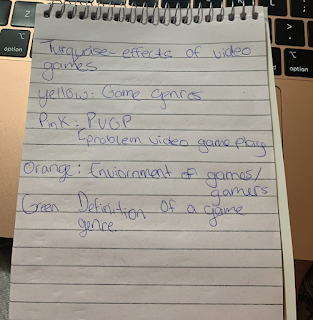
Reading 04! As crazy as I may seem, I actually really enjoyed this week's reading tasks which can be the reason of one or two things, one, I did it wrong and two, I just love colour co-ordinating. At the start of this task I gathered the readings I researched over the past few weeks and grouped them together due to similarities and did so using highlighting, I made a key at the bottom of my document to inform the reader what each colour resembles and why it is highlighted. I really like this technique, especially now more than ever since I've been doing these reading tasks the past few weeks having to read through hundreds of papers to find exactly what I need, if there were a colour scheme to these papers it would've made the task 100 times more enjoyable, accessible and easier of course and so I won't forget what each colour resembles as I was highlighting, I wrote it in my notepad to remember, which I realise now it would've been easier to just have type it at th...

Unity Tutorial 04!

Image
 Unity Tutorial 04! This week's first tutorial (Sprite animation) took longer than expected to finish, I kept making mistakes so figuring them out and fixing them took a while and the fact that I had to restart Unity 3 times didn't either. Anyway, in this tutorial I added animation to the character's movement so they didn't look so stiff and were able to move their arms and legs. I also learned that t he 'controller' contains the 'State Machine' that determines the relationship between the animations and the animator activates the animation that is assigned to it by the controller which orders it to run. Animations In the second tutorial (World Interactions - Projectile) I had to reread this tutorial 4 times, it was so confusing but I learned what an 'Instantiate' is, it's a function that allows for the object as a first parameter and copies making it in the second parameter at that position. I learned more about how layers work. At the end...

Analysis!

Image
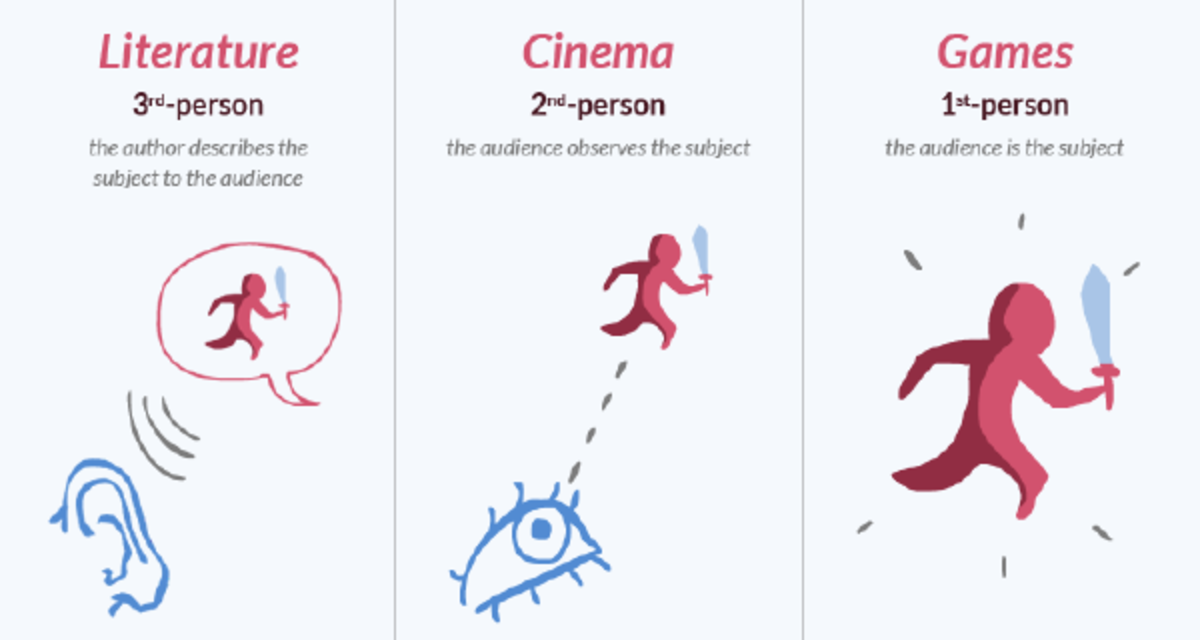
Analysis! This week's reading task was different from last week's, I misread the task for the reading project last week so I did it right this week. I actually really enjoyed this week's reading because I learned so many new things such as the causes of addictive game play, what comes with it, causes,  I always knew that games affected people but I had no idea to what aspect it could do so, I didn't know that people's mental health can be affected by games. I learned about the game genres that cause the most problems which are: -First-person shooter (makes the player anxious and paranoid) -Action adventure (I was really surprised to see this one so I am not even sure as to why or how this can cause problems) -Role-playing (player can get too into the game and be distracted by real life) -Casino games (causes financial difficulties and relationship problems) The second and third paper I analysed were similar to the first but with the last paper by Nuyens, F.M., Kuss,...

Unity Tutorial 03!

Image
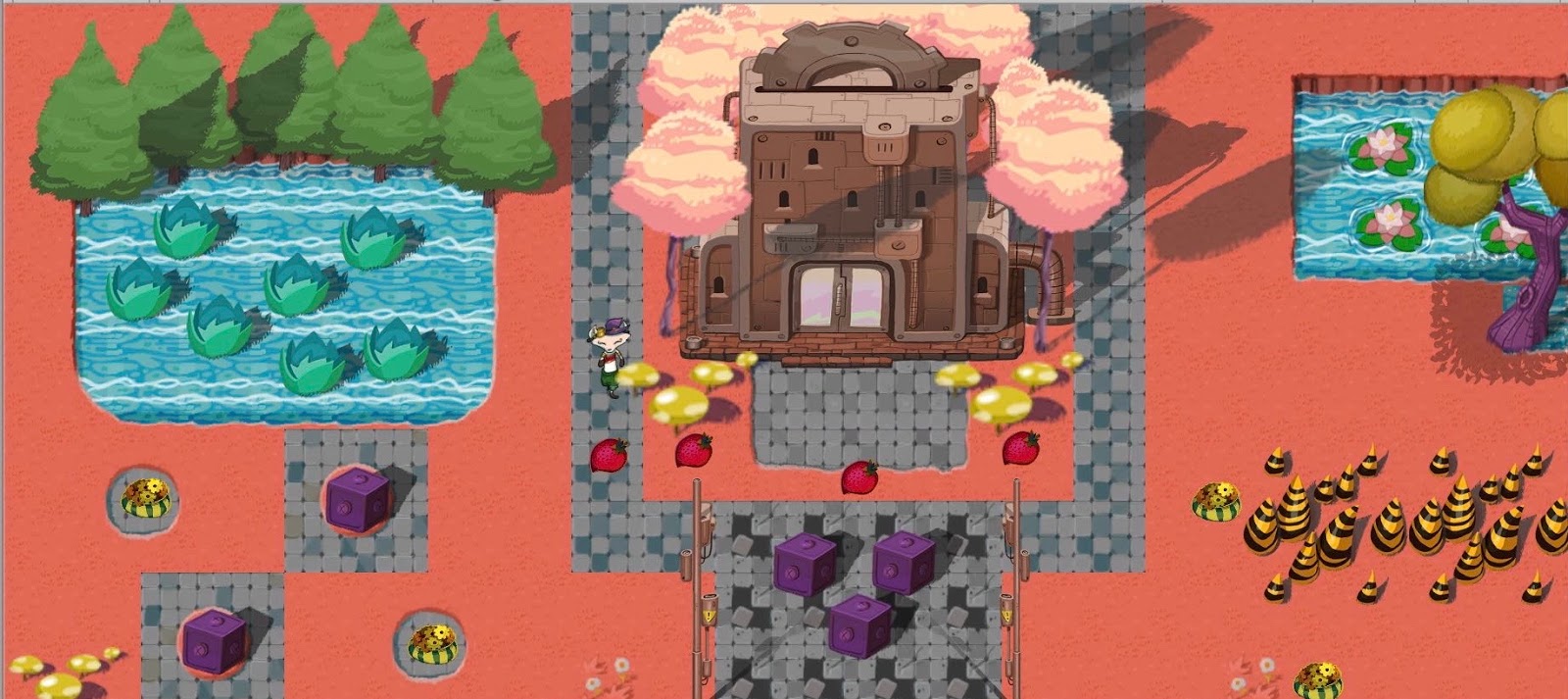
 Unity Tutorial 03! This weeks Unity tutorials was more fun than last week's, it was very direct but a little difficult too, and I learned something new, which is always a good thing especially when it comes to game design. In the first tutorial "Collectibles" I learned about Triggers which are what gives the character the ability to collect objects. In this case, at the start of the tutorial I had to add a health-stat to Ruby's character which is what controlled Ruby's health. If Ruby collects a strawberry that would give her 1 out 5 health. In the second tutorial "Damage Zones and Enemies" I had to adjust Ruby's health back to 1 at the start of this tutorial and then made the world (Ruby's world) more dangerous and damaging to her health by adding damage zones that when Ruby walked through, it would lessen her health I then had to add an enemy which is a moving damage zone, but the enemy couldn't move yet. Ruby's enemy Thanks for readin...

Reading 03!

Image
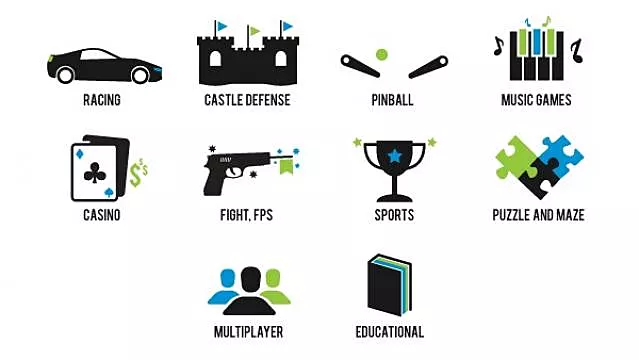
Reading 03! To start of this weeks Reading task I read 4 papers that I had saved from last week for my topic which is Classic Game Genres, now reading this was somewhat boring but throughout the third and fourth paper my friend and I decided to study virtually together and we informed each other on the topics we were working on which made this a little more interesting. Not gonna lie, the TUD Library website was so hard to use for me so instead I decided to use google scholar, I'll try and knowledge myself by learning how to use the website more over the next week and so on. Anyway, I learned a lot from reading these papers about game studies and game genres. Thomas Apperley, (2006), Simulation and Gaming, Genre and game studies: Toward a critical approach to video game genres, The University of New South Wales, Sydney The genre of action is one of which is profoundly connected with cinema, the genres overlap quite clearly. The difference is the interactivity provided by the video ...

Unity Tutorial 02!

Image
Unity Tutorial 02! It's still very hard getting used to the fact that there are no videos to walk through these Unity Tutorials but one thing I'm glad for is at the end of some tutorials it shows how the code is meant to look like. This week's tutorial was more fun than last weeks, in the first tutorial I learned that there was a lot of decoration, I spent way more time than I should've decorating Ruby's space, I kept adding prefabs just to experiment and based on whether I liked it or not, I kept.  In the next tutorial I learned a new physics system that stops Ruby from walking through the boxes, trees and water. I first had to add a Rigidbody component to make the physics system and then added a collider to make the objects collide together. Screenshot All in all this week's tutorial was enjoyable (very surprising for me to say because I never liked Unity, but patience and positivity have helped) Thanks for reading my blog!

Planning!

Image
 Planning! When I first heard about this part of the module I was so, beyond happy because I love writing, academically though I dont know but regardless I enjoy it more than the Unity tutorials.  Originally I had chosen the Sales chapter and how they are effected by games or so I think but when I saw the spreadsheet Shaun had made a comment on my sub section that it may be hard to find information about this topic so I changed it to "Classic Game Genres" which sounds way better and the topic seems like it would be filled with information and to my luck after my first google search a bunch of game genres popped up and my plan is to go into each game genre (I'll do the most popular genres because if I was to do all of them, I'll never finish) into detail, detailing the pros and cons, what they're about etc.  Screenshot of google search Also this week, a member of the TUD Blanchardstown Library team was kind enough to show us how to use useful resources such as refw...

Unity Tutorial 01!

Image
 Unity Tutorial 01! So this weeks unity tutorial was different than all the other tutorial I've ever done, to my surprise a 2D game, but this time there were no videos showing step by step it was all a bunch of writing with some GIF like clips, I still had to refer to youtube videos for help when I got stuck. When I started working on this tutorial my Unity kept crashing and shutting down which was really annoying :( After it started working and I actually got some work done, I was able to write a script which allows for the moving of Ruby (the character) across the screen, I added keyboard input, so Ruby's movements would be the same and lastly the part I enjoyed the most was the tilemaps because I enjoyed cutting out the pieces I need and adding them. How I feel about starting unity again :( Thanks for reading my blog!

Tech Tip

Image
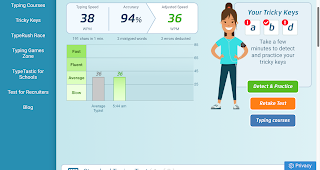
Tech Tip! For this weeks tech task I decided to try out a typing test, to test the accuracy and time it takes me to type given sentences. So the first time I tried it, I did soooo bad, its embarrassing, I got one word wrong but was only able to get 38 words typed per minute. So I decided to try it again to see if I got any better and according to the test I was 32% faster the second time! The website I used to do these tests: https://www.typingtest.com/result.html?acc=97&nwpm=44&gwpm=45&ncpm=221&gcpm=226&dur=60&time=60&chksum=21450&unit=wpm&kh=998&td=null&err=1&hits=226&textfile=mediumText.txt Thank you for reading my blog post!  

Unity Tutorial 09!

Image
Unity Tutorial 09! This weeks Unity tutorials were very different from the other ones I've done, the game view for this week's tutorial was in 2-D and I prefer that so much more than working with 3-D game view. So for the first tutorial (Lesson 5.1 - Clicky Mouse) I had to  game’s view to 2D, like I've already said and then I made a good and bad list of objects which were randomly spawned. I then made these objects destroyable by a click from the player. This was my favourite game when I was 5 In tutorial 5.2 (Keeping score) I learned how to add A 'Score' section which is placed in the screen when the player hits a target. I also learned how to add explosions when the player captures an object. In tutorial 5.3 (Game over) I learned how to create a 'Game over' text appear when the player loses a good object and underneath this button will be a 'Restart Game' button which gives the player an opportunity to restart the game. Thats it for this blog post...

Games Stories!

Image
Games Stories! This weeks reading was about  'What Every Game Developer Needs to Know about Story' by John Sutherland. I really enjoyed reading this article as it was very interesting. Instead of the typical every week reading tasks about game design, the definition of a game, etc. This weeks reading was about the overall picture of a game, the universal human experience and the story behind the game. I found many parts of this article interesting especially when Sutherland mentions how similar stories are to games but in when it comes to the game, the player should have different options, the ending shouldn't be predictable as it would be different for everyone, whereas with a dialogue the player will know every aspect of the game, why they're making a choice, what it'll result in, how it ends etc. When the player knows all of this information, there won't be any anticipation/ excitement as the player will know what to expect. That is what I made out of the fir...

Review Week Comments and Feedback!

Image
Review week comments and feedback! So in today’s blog post I will be talking about comments and feedback I’ve received on this blog and comments and feedback I’ve left on others blogs. I think the quality of the comments I’ve been receiving on my blog are very high and detailed and I definitely have benefited a lot from the comments and feedback I was receiving from students in my class . When it comes to constructive criticism, I take it very well which helps me to improve my blog posts and game.  A lot of comments on my post are of my classmates agreeing with me, what I’m doing and being in similar situations, which reassures me about not doing anything wrong but then again it’s so frustrating having to be in situations like with Unity shutting down while midworking on my game. I find these kinds of comments most useful especially since I wouldn’t be the most interested in game design or even the best so when I see others having the same problems as me, that way I know I’m not t...